
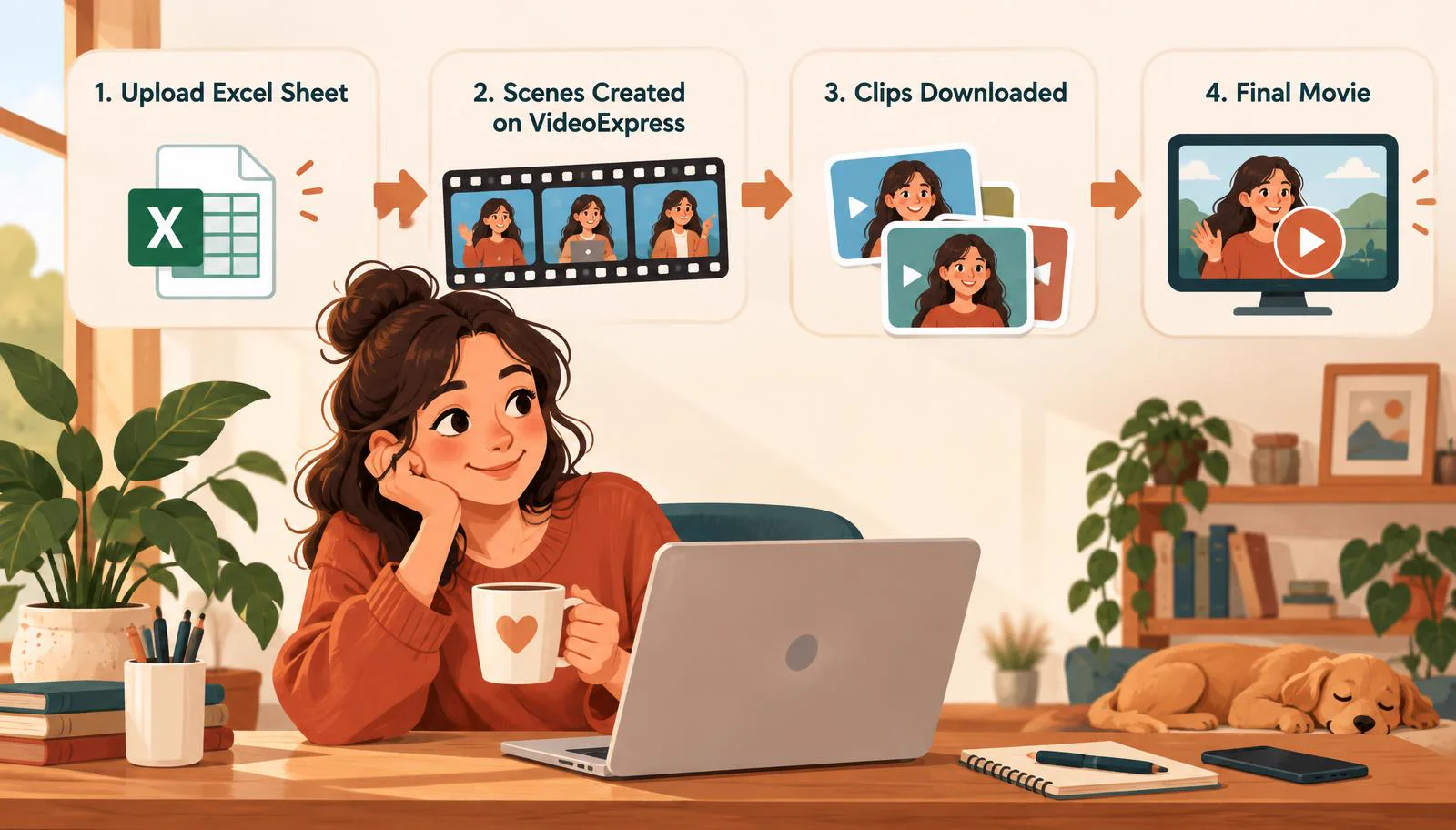
Making an AI film usually means hours of clicking: writing a prompt for every scene, generating images, choosing the right one, setting up voices, waiting for each video, downloading the clips and stitching them together. Do that for 30 scenes and the creative work gets buried under repetitive tasks. The Video Automation Studio removes that work entirely.
You fill in one Excel storyboard with your scenes, characters, dialogue and voices. The Studio then makes every scene on VideoExpress for you, keeps every character looking the same, downloads the clips and joins them into one movie, while you watch it happen live.
- 1 upload: Excel in, movie out
- 2 scene types: Narration & Lip Sync
- Local AI: Image checks on your server
- 9:16 & 16:9: Reels and YouTube
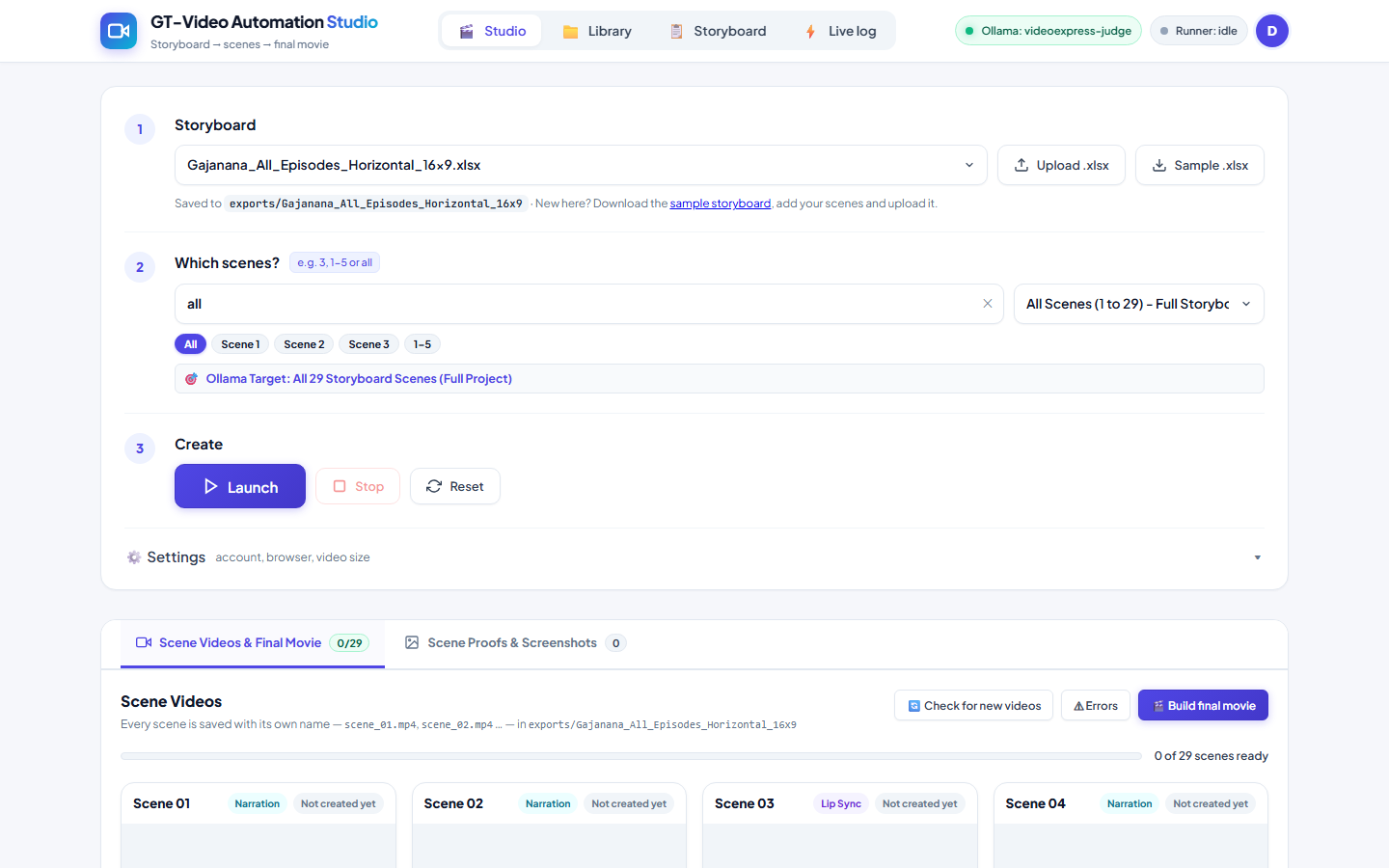
How it works in five steps
You make the creative decisions. The Studio does the clicking.
- Write the storyboard. Fill in the Excel template with scenes, characters and style.
- Upload & check. A pre-flight audit finds problems before any credits are spent.
- Launch. The Studio drives VideoExpress scene by scene: image, voice, video.
- AI picks the image. A local AI judge chooses the candidate that best matches the character.
- Get the movie. Clips download as scene_01, scene_02… and join into one film.
Your whole film in one spreadsheet
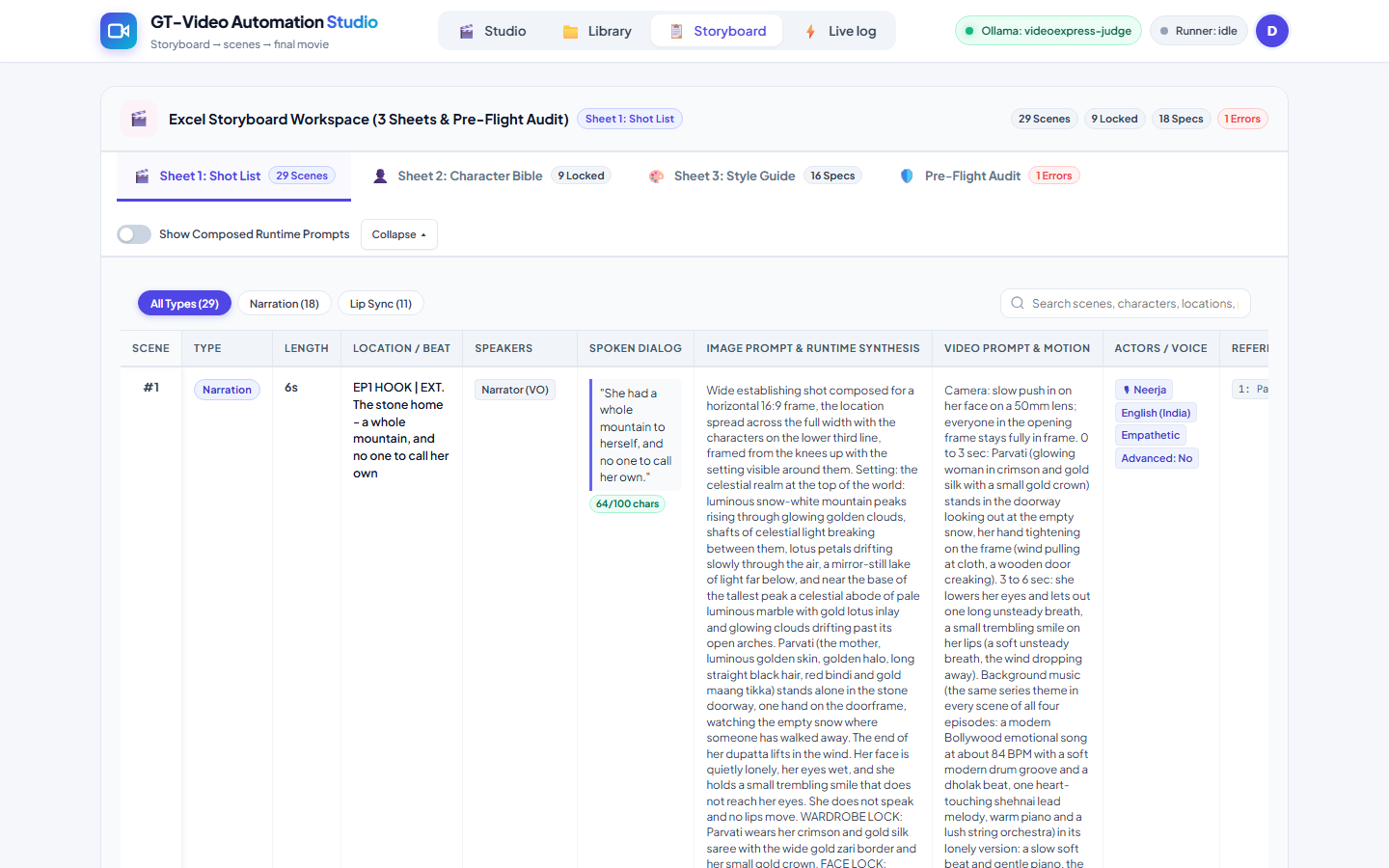
One Excel file holds the entire film. Upload your own, or start from the built-in sample and replace the example scenes.
- A shot list with duration, location, image prompt, video prompt and dialogue for each scene.
- Narration scenes with a voice-over, and Lip Sync scenes where characters speak on screen.
- Language, voice and emotion set per scene, for example English (India), Neerja, Empathetic.
- Search and filter scenes, and preview the exact prompt that will be sent.
- Download a sample .xlsx in one click.
The same face in every scene
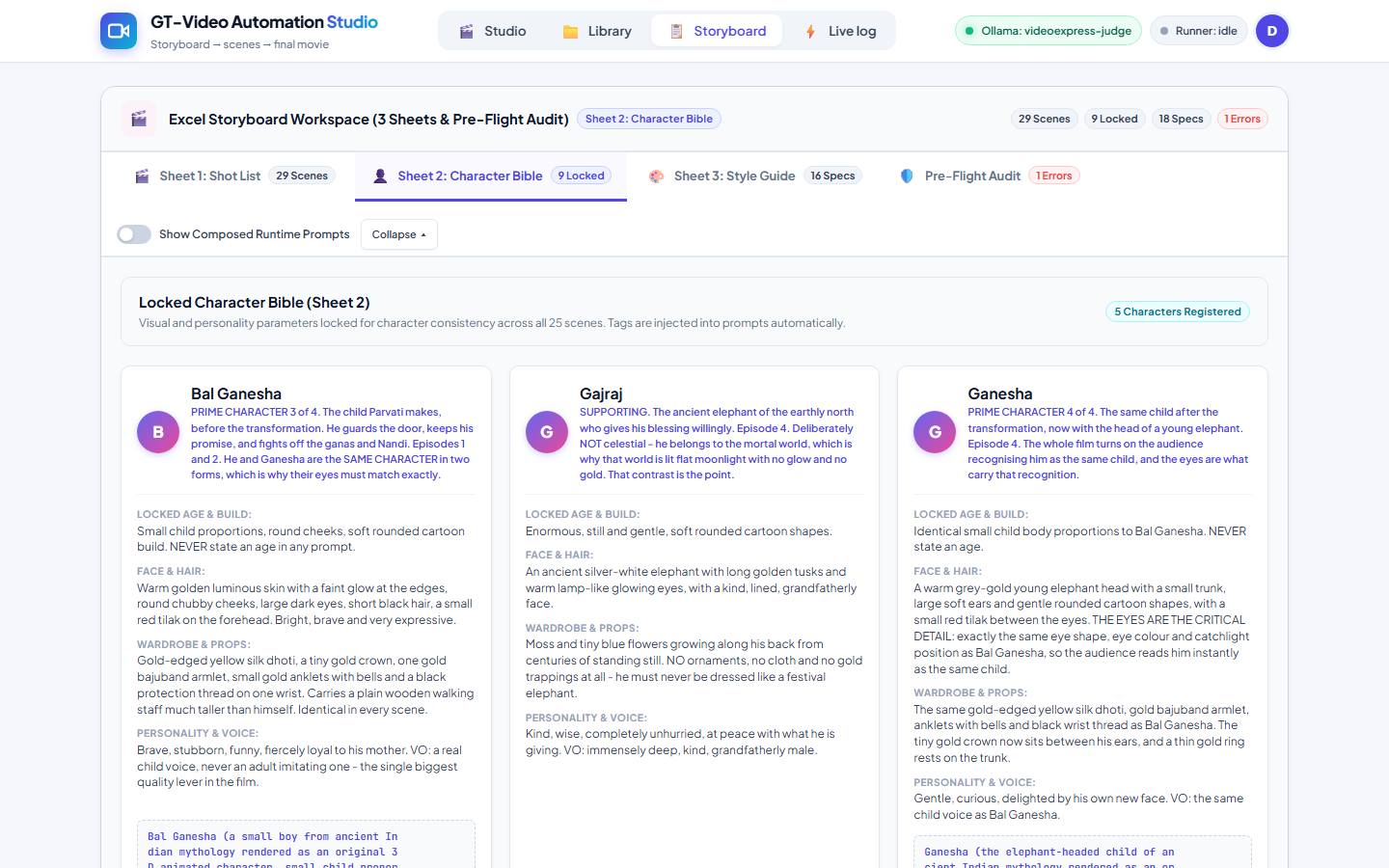
The biggest problem in AI video is characters that change from shot to shot. The Character Bible fixes each character's build, face, hair, wardrobe and voice, and that locked description goes into every prompt automatically.
- Up to two reference photos per scene, matched by exact name.
- A missing reference photo is created automatically from the character's description.
- A Style Guide sets the look, camera, aspect ratio and negative prompt for the whole film.
Catch mistakes before they cost credits
Every storyboard is checked against VideoExpress limits the moment it loads. Blocking errors, like a dialogue line over 100 characters or a missing duration, stop the run. Warnings flag things like a speaker who isn't in the Character Bible. Languages and voices are verified too, so a voice is never swapped silently.
One click, every scene made
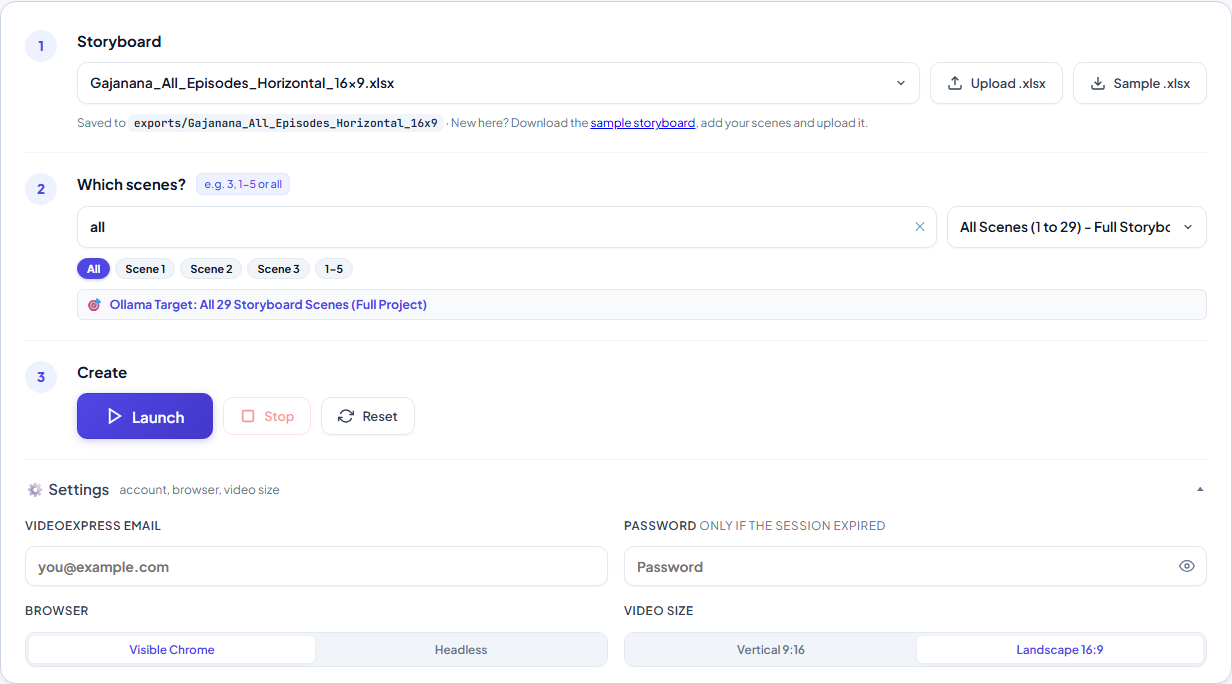
Press Launch and the Studio works the VideoExpress editor the way a person would: it writes the prompts, creates the images, sets up narration or lip sync, generates the speech and submits the video.
- Choose scenes by typing 3, 1-5 or all. Plain wording works too.
- Launch, Stop and Reset at any time.
- Run with a visible browser or in the background, in vertical 9:16 or landscape 16:9.
- Stays signed in between runs, and only one job uses the account at a time so scenes never get mixed up.
A private AI art director
VideoExpress makes two candidate images for every scene. A local AI vision model running on your own server compares them with the Character Bible and picks the better match. No images leave your server for this check.
- Its own trained judge model built for this job.
- Teach it rules like “prefer warm candlelight” and it applies them from the next scene.
- It learns every time a person overrides its choice, and retraining takes seconds.
Watch every step as it happens
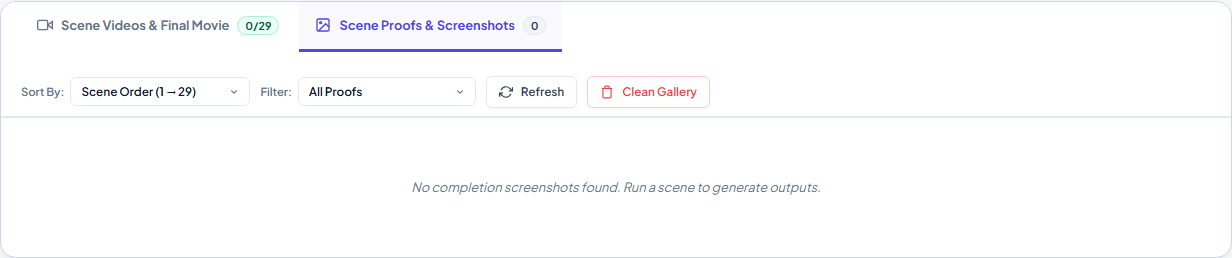
Even when it runs in the background, you can see exactly what the automation is doing: a live stream of its browser that you can take over, a live console of every step, and a screenshot proof of each scene's result.
Clips collected, film assembled
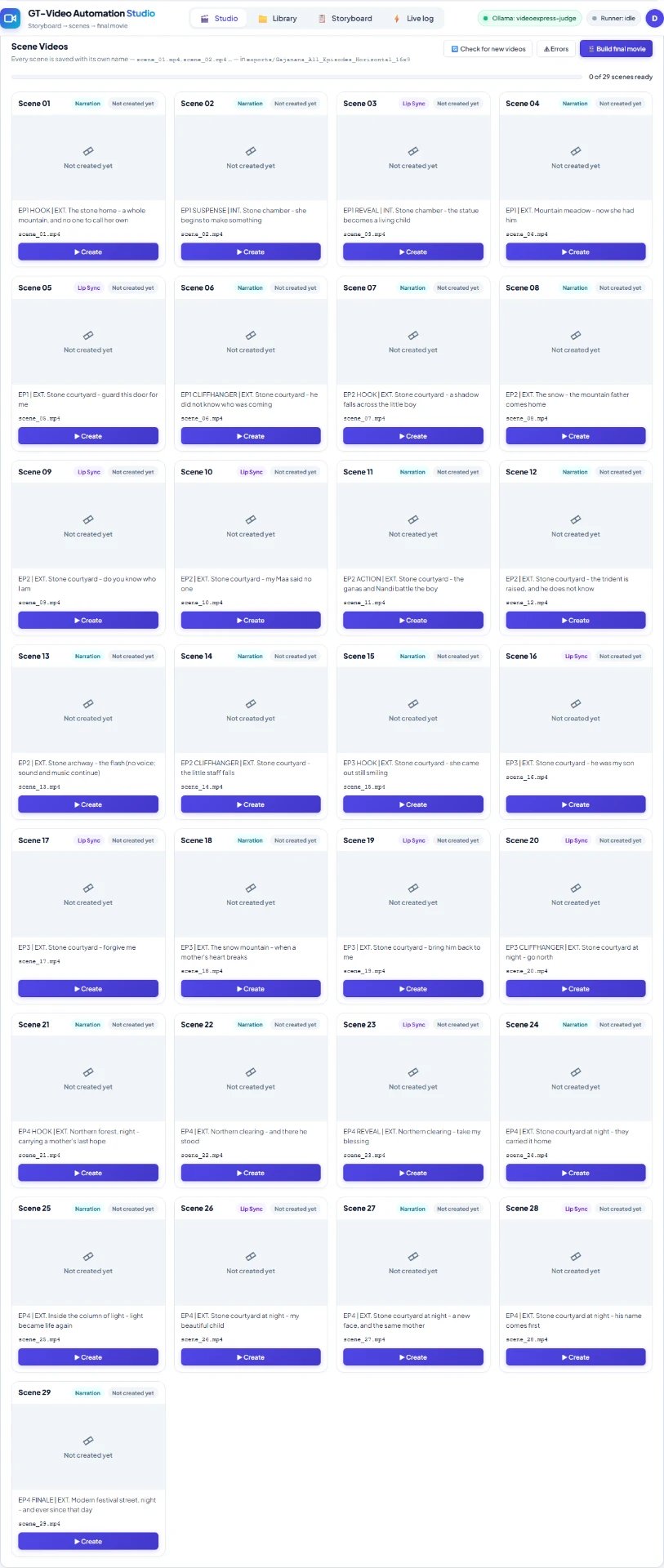
Finished videos are found in VideoExpress, matched to their scene and saved as scene_01.mp4, scene_02.mp4 and so on. A progress bar shows how many are ready, and failed scenes are listed with the step, message, screenshot and last log lines.
Then Build final movie joins all scenes in order in seconds, without quality loss. Missing scenes are reported, never skipped silently, and downloaded videos can be cleaned out of VideoExpress automatically.
Every project in one place
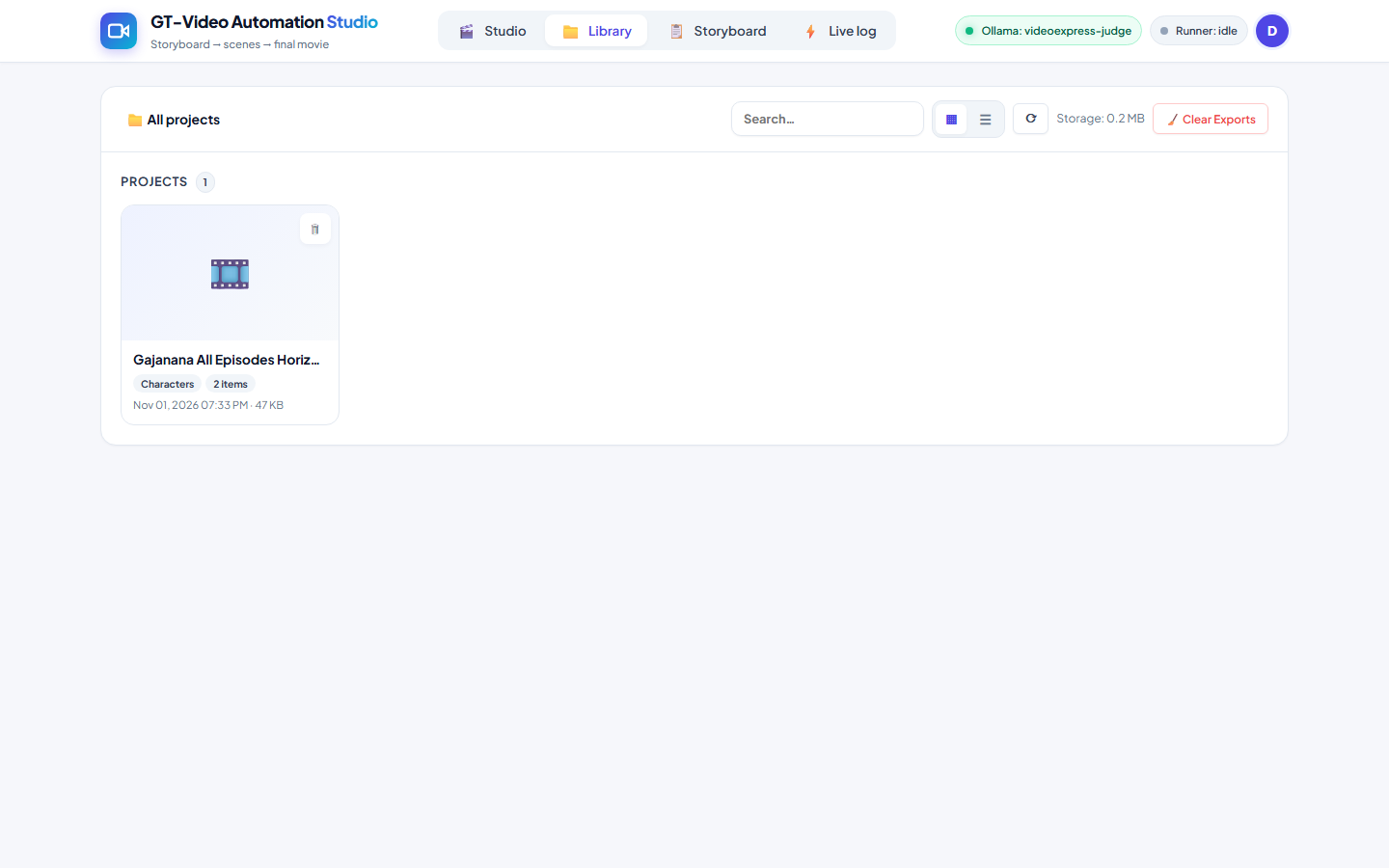
Each storyboard gets its own project folder holding its scene videos, final movie and character images. Browse in grid or list view, search, and see how much space your projects use.
Built for teams, built to be dependable
- Private, sign-in-only access with Admin and User roles and secure passwords.
- Your own name, tagline and logo on every page.
- Works on a phone, with live updates and no page reloads.
- Self-hosted on your own server, with automatic restart after a reboot.
- Crash-safe: if a run stops unexpectedly, the next one starts cleanly.
- Coming next: a soundtrack cue sheet that mixes music and sound effects into the final movie.
The bottom line
The Video Automation Studio turns a spreadsheet into a finished film on VideoExpress. You focus on the story; it handles the hundreds of clicks between storyboard and movie, with consistent characters and full visibility at every step.
Want this for your videos?
The Video Automation Studio is built by Devaigo. Tell us about your project and we'll show you a live demo and set it up for your team.